


Agoda: Cheap Flights & Hotels
4.512.95K Reviews
App Specs
- Version
- 14.30.0
- Updated On
- License
- Free
- Downloads
- 100,000,000+
- Developer
- agoda.com
- Categories
- Travel & Local
- Platform
- Android, iOS
Screenshots




 Analysis by AppCompare
For me, Agoda is most useful when I want to compare a stay and a flight in one place, not when I expect one app to settle every travel decision for me. It gives me a broad starting point for planning, with enough choice to explore different budgets and travel styles. The trade-off is that a polished search can make a deal look simpler than the whole trip really is, so I still check the details before booking.
I’d recommend it to travelers who like to browse, compare, and keep their planning on a phone. I’m less likely to rely on it alone when my plans are unusually complex, when a hotel’s exact location is crucial, or when I already know which airline or property I want and would rather book directly.
A useful starting point, not the whole itinerary
Agoda is a free travel app from agoda.com, and its reach is one reason it can be handy: it covers 4.2 million properties worldwide, alongside flight searches. That scale gives me room to compare options for very different trips, from a simple overnight stay to a longer holiday. The app has been around since 2011, and its 4.6 average from around 2.3 million ratings suggests that many travelers find it useful, though a high rating can’t tell me whether a particular room or itinerary will suit me.
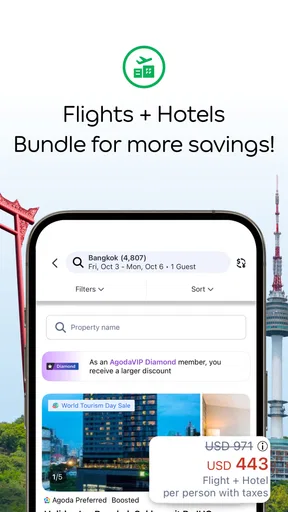
The central convenience is having accommodation and flights in the same planning space. I can begin with a destination, see what stays might fit, and then look at flight possibilities without jumping between separate travel apps right away. That makes Agoda a sensible first stop when I’m flexible. It is not a guarantee that the cheapest-looking option is the best overall choice, so I treat the results as a shortlist to investigate rather than a final verdict on value.
How I’d use it for a real trip
Imagine I’m arranging a weekend away after work. I’d first search for a hotel around the area I actually plan to visit, then compare a few candidates by total cost, location, room details, and guest feedback. Only after I have a realistic idea of where I’ll stay would I compare flights and nearby airports. A cheaper flight can stop being a bargain if it lands far from town or arrives at a time that complicates getting to the hotel.
That order matters. I find it easy to get pulled toward a striking nightly rate or a low airfare before checking how the two pieces fit together. Instead, I use the app to build a couple of plausible combinations, then review the practical details for each. For accommodation, I look carefully at what the room description says and whether the photos show the space I need. For flights, I check the itinerary and charges that affect the actual journey, not just the headline fare.
Agoda can also suit someone who has a destination but not a fixed plan. I might compare different neighborhoods or travel dates, then decide whether paying more for a convenient location is worth it. That is a better use of the app’s breadth than searching for a single “best” result. If I have fixed dates, a specific airport, or a non-negotiable room requirement, I narrow those choices first so a long list doesn’t distract me from what matters.
Worth Reading Before You Choose

Baby Panda World Brings Quick Play to Modern Phones, but Its Game Library Feels Busy

ESPN’s Live Game View Makes Following Close Games Easier

QuizzLand Review: A Good Fit for Short Trivia Breaks, Not Every Player

Basketball Stars: Multiplayer Is Fast, but Can It Recover When Matches Go Wrong?

WEBTOON Turns Phone Updates Into a Better Reading Routine

Link to Windows Runs on Shared Habits, Not Social Feeds
Where the breadth helps—and where I stay cautious
I use Agoda’s breadth as a way to discover options, but I try not to confuse a large search with a complete answer. When I’m weighing alternatives, I first decide which details are non-negotiable—such as the area I need to stay in or a workable arrival time—then compare only options that meet them. That small step makes the range more useful and helps me stay cautious about appealing results that don’t fit the actual trip.
Comparing stays without being dazzled by a deal
Browsing hotels is the app’s strongest part for me. Agoda lists a wide range, from budget hostels to luxury resorts, and filters help reduce the field by factors such as price, star rating, and guest reviews. Photos can give me an initial sense of the property, while review comments may reveal details that a short description leaves out. I don’t take either at face value: I compare several properties and look for feedback that speaks to my own needs, such as quiet, ease of arrival, or room space.
A practical tip is to decide what would make a stay inconvenient before searching. If I expect to arrive late, I prioritize clear arrival information; if I’ll spend most of the trip on foot, I pay attention to the map and neighborhood rather than choosing only by room price. I also read the room-specific details instead of assuming every room at the same hotel includes the same setup. This extra check takes a little time, but it can prevent the common disappointment of booking a property that looks right in general while the selected room does not.
Deals are worth checking, but I treat them as prompts to compare, not proof that I’ve found the best value. A discount only helps if the dates, location, room, and booking conditions fit my trip. When I’m weighing two properties, I compare what I would actually pay and what each option gives me, rather than letting a highlighted offer decide for me. That keeps the search focused on a comfortable stay instead of a bargain badge.
Flights are convenient to compare, but details still matter
The flight search is useful when I want to view options from different airlines in the same place. Nearby-airport suggestions can broaden the search, and the display of baggage fees and other charges is helpful when comparing fares that might otherwise look similar. I still inspect the full itinerary, including airport and timing, before deciding. A fare that looks attractive at first can be a poor fit if its schedule adds stress or its extra costs change the total.
Keeping the search inside the app makes the process feel direct, but I wouldn’t use convenience as a reason to skip a final review. Before I commit, I make sure the passenger details and journey choices are right, then keep track of the booking information for the trip. If I’m choosing between a flight in Agoda and one I found elsewhere, I compare the complete journey and conditions rather than assuming the first result is automatically the strongest option.
For complicated itineraries, unusual ticket needs, or a trip where I need to speak with an airline about a specific request, I may prefer to compare in Agoda and then consider booking directly with the carrier. That can make more sense when I value dealing with the airline itself over having all the initial searching together. For a straightforward trip, though, the in-app flow can save time and reduce the back-and-forth of opening multiple sites.
Deals and rewards suit some travel habits more than others
The Deals and Today’s Deals sections are most useful to me when I have room to be spontaneous. They can give me ideas for a short break, but I don’t let urgency push me into choosing dates or a property that doesn’t work. A last-minute offer is only appealing if I can travel then, reach the place easily, and accept the room and booking terms. If my schedule is fixed or I need a particular kind of accommodation, a regular comparison is more useful than chasing a time-sensitive-looking promotion.
The app also presents a rewards system in which bookings can earn points for future discounts. I see that as a possible extra for people who book through Agoda regularly, not a reason to make a booking that would be better elsewhere. Before counting on a reward, I would check the conditions shown for the booking and how the benefit applies to a future trip. Occasional travelers may get less practical value from a points system than people who already use the service often.
Who should make it their first search
Agoda is a good fit if you’re open to comparing several stays, want flights and accommodation together, or enjoy looking for a spontaneous break. Its free price removes a barrier to trying it, and its Everyone age rating makes it broadly accessible. The current version is 14.19.0, with a minimum operating-system requirement of 8.1. It has more than 100 million installs and around 13,000 written reviews, but I’d still judge it by whether its search results and booking details work for my own trip.
I’d skip it as my only tool if I want a highly tailored itinerary, need extensive help choosing between complex flight routes, or have already settled on a property and want to check its own booking options. It is also not ideal for someone who dislikes comparing choices: breadth is useful only if you’re willing to filter and verify. A dedicated airline app can be the more straightforward choice for managing a flight with that carrier, while a hotel’s own channel may be preferable when I want to confirm a particular room or request directly.
First Impressions: Sleek and User-Friendly
Let me just say, firing up the Agoda app for the first time is like stepping into a well-organized travel hub. The interface is sleek, intuitive, and super easy to navigate. None of that cluttered, overwhelming stuff you find with some other travel apps. It’s almost like they’ve read my mind and figured out exactly what I need when planning a trip.
Browsing Hotels: More Options than I Expected
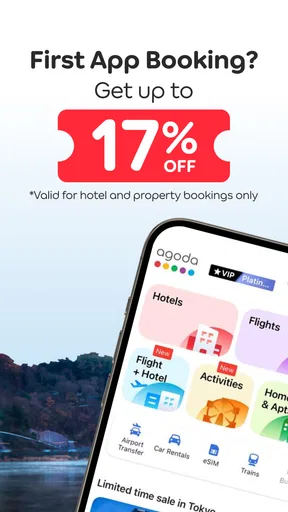
So, I dove straight into the hotel section. With the Agoda app, it’s like having an endless catalog of hotels right at your fingertips. You’ve got everything from budget hostels to luxury resorts. The filtering options are a godsend, letting you sort by price, star rating, and even guest reviews. The app even highlights deals, making it easy to spot a bargain.
And let’s talk about those photos – they’re high-quality, and you can actually get a feel for the place you’re considering. Plus, the reviews are honest and detailed, which helps avoid any unpleasant surprises when you arrive.
Flight Booking: Smooth as Silk
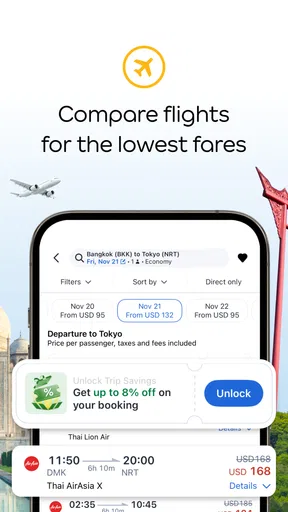
Switching over to flights, I found the process just as seamless. The app lets you compare flights from different airlines, showing you the best prices available. It even suggests nearby airports, which can sometimes save you a chunk of change. One thing I appreciate is the clear display of baggage fees and other charges, so you know exactly what you’re paying for upfront.
Booking a flight was straightforward, and I loved that I could do it all without ever leaving the app. No redirects, no fuss – just pick your flight, pay, and you're done.
Additional Features Worth Mentioning
Now, here’s where Agoda goes above and beyond. They’ve got this cool "Deals" section that’s perfect for those spontaneous weekend getaways. Plus, the "Today’s Deals" feature offers last-minute discounts that are seriously tempting.
Another perk is the rewards system. As you book more, you earn points that can be redeemed for future discounts. It’s like getting a little bonus just for traveling – who doesn’t love that?
Overall Experience: A Traveler’s Best Friend
After spending some quality time with the app, I can confidently say that Agoda: Cheap Flights & Hotels is a must-have for any traveler. It streamlines the booking process, offers a ton of options, and helps you snag some sweet deals. Plus, the app’s design makes it a joy to use.
Whether you're planning a big vacation or just a quick business trip, this app has got you covered. It’s like having a personal travel assistant in your pocket, ready to help you plan the perfect trip without breaking a sweat.
So, the next time you’re planning to jet off somewhere, give Agoda a try. It might just become your new favorite travel buddy.
My final take on using it
My overall view is more measured than calling it essential for every traveler. Agoda is a capable place to begin when I want a wide choice of stays and a convenient way to compare flights, especially if I’m flexible enough to weigh alternatives. I like the way it brings those searches together, but I would not let a clean interface or a tempting deal replace checking location, room specifics, itinerary, and the total cost.
If you prefer to research before committing, it works well as a comparison tool even when you eventually choose another booking route. If you value simplicity above choice, or want direct contact with a specific airline or hotel from the outset, a specialist app or the provider’s own booking channel may suit you better. For everyone else, I’d keep Agoda available as one useful travel-planning option: broad enough to inspire ideas, but best used with a careful eye on the details.
Pros
- User-friendly interface for quick navigation.
- Extensive range of hotel and flight options.
- Competitive pricing with regular discounts.
- Reliable customer support available 24/7.
- Easy booking management and updates.
Cons
- Occasional app glitches and crashes.
- Limited payment options in some regions.
- Some features require strong internet.
- Push notifications can be frequent.
- Limited offline access to bookings.
FAQs for Agoda: Cheap Flights & Hotels
What features does the Agoda app offer for booking flights and hotels?
The Agoda app provides comprehensive features for booking flights and hotels, including a user-friendly interface, exclusive mobile deals, and a vast selection of accommodations worldwide. Users can filter searches by price, location, and amenities, and the app also offers personalized recommendations. Additionally, the app supports secure payment methods and provides instant booking confirmations.
Is Agoda's booking process secure and reliable?
Yes, the Agoda app uses advanced security measures to ensure a safe booking process. It offers secure payment options and encrypts user data to protect personal and financial information. The app also features a reliable customer support system, available 24/7, to assist users with any issues or concerns during their booking experience.
Does the Agoda app offer any loyalty or rewards programs?
Agoda offers a loyalty program called Agoda Rewards, which allows users to earn points on hotel bookings. These points can be redeemed for discounts on future stays. The app also frequently provides special promotions and offers, such as AgodaCash and insider deals, to help users save on their travel expenses.
Can I manage my bookings easily through the Agoda app?
Yes, the Agoda app provides a convenient platform for managing bookings. Users can view, modify, or cancel their reservations directly from the app. It also sends notifications about booking updates and any changes to itineraries. The app’s interface is designed to make navigation and management of bookings straightforward and hassle-free.
Are there any additional fees when booking through the Agoda app?
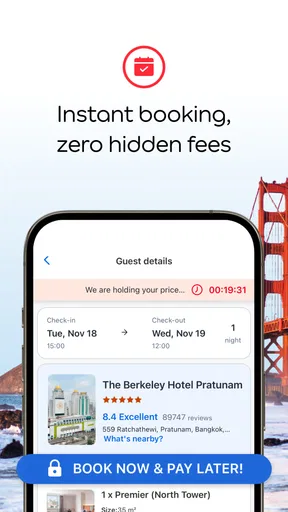
The Agoda app strives for transparency in pricing, displaying all fees and taxes during the booking process. While Agoda itself does not charge booking fees, users should be aware of potential additional charges, such as local taxes or hotel service fees, which are clearly outlined before finalizing a reservation. Always review the total cost to avoid surprises.


